

Known Ink Failures
- Cartridge (Chip) Not Read/Seen by Printer
- Cartridge Not Programmed
- Cartridge reports 0% when new.
- Cartridge inserted in too many printers
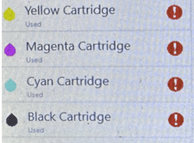
Bad Ink: Cartridge (Chip) Not Read
Error: Cartridge not detected or installed: black (for example)
The indicated supply cartridge is not detected or not installed.
17.00.65 The black cartridge is not detected or not installed.
17.01.65 The cyan cartridge is not detected or not installed.
17.02.65 The magenta cartridge is not detected or not installed.
17.03.65 The yellow cartridge is not detected or not installed.
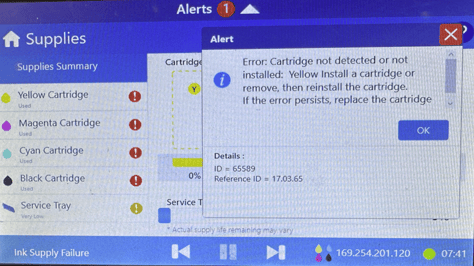
Error: Cartridge not detected or installed: black (for example)
Printer cannot see cartridge. Chip is damaged, dirty or clogged. Also cartridge is not installed.
POSSIBLE SOLUTION
- Inspect the Cartridge chip for obvious damage.
- Try wiping off cartridge chip with a link free cloth. Can use NeuraLabel Cleaning Solution from our cleaning kit.
- For advanced user/technician, turn printer off and wipe off inside of printer where cartridge is inserted. Can use lint free swab with NeuraLabel Cleaning Solution from our cleaning kit.
IF NOT SOLVABLE: Provide customer RMA and Return Cartridge to Neuralog R&D for vendor RMA.
Bad Ink: Cartridge Not Programmed
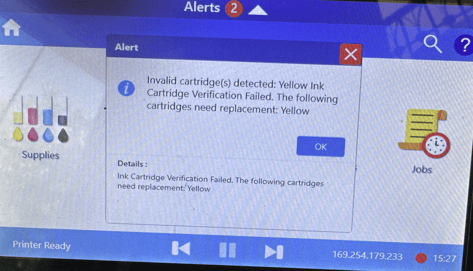
Invalid Cartridge(s) not detected…Cartridge Verification Failed.
Chip is not programmed or has lost its programming – Invalid Cartridge(s) detected. Cartridge Verification failed.
PROBABLY NOT SOLVABLE:
Reboot printer with a different cartridge or with no cartridge and retry the cartridge.
Try cartridge in another printer.
If Error Persists, provide customer RMA and return Cartridge to Neuralog R&D.
Bad Ink: Cartridge Reports 0%
Cartridge is full but reports 0% Ink.
Seen in 3 BLACK cartridges of all the cartridges we’ve shipped
NOT SOLVABLE: Return Cartridge for Neuralog R&D for vendor RMA.
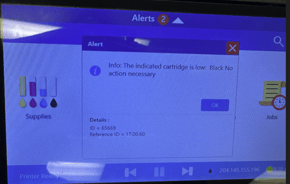
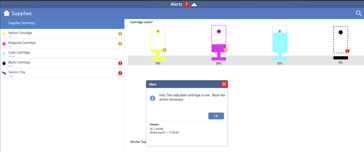
Bad Ink: Cartridge Too Many Printers
Error: Please check the printer and replace the ink cartridge when needed. Details: ID=65542/ Ref ID=17.0x.85.
The indicated supply cartridge installed in too many printers. Printing cannot continue.
17.00.85 The black cartridge installed in too many printers.
17.01.85 The cyan cartridge installed in too many printers.
17.02.85 The magenta cartridge installed in too many printers.
17.03.85 The yellow cartridge installed in too many printers.
SOLVABLE!
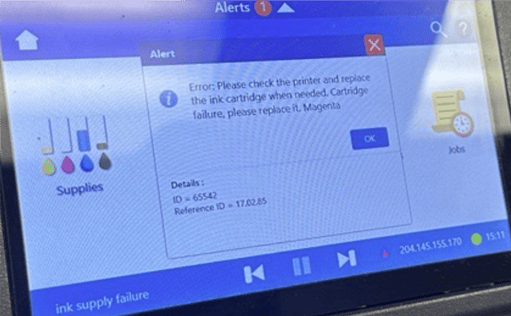
Cartridge inserted in too many printers.
SOLUTION: Upgrade printer firmware
- Update Printbar Engine (BnB) firmware to Version 2439A or later.
- Depending on circumstances, Upgrade the printer to Neuralog/NeuraLabel latest shipping versions.
Please also inform R&D if the customer has this message.