

The Encoder Assembly moves the media in the printer and tracks the exact media location. If the encoder slips and does not have good contact with the media, the effect of media rushing or speeding or zipping through the printer will be seen. A distinctive print defect follows.
Encoder Slippage Print Defects
Possible encoder failures include slippage or "crunchy" encoder where the media moves under the encoder in a non-optimal way. Below are photos of print defects caused by encoder assembly failure.
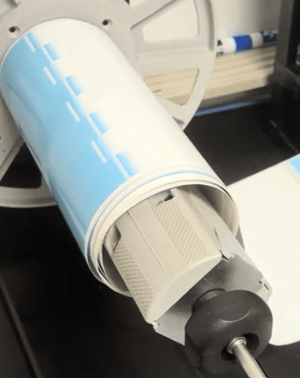
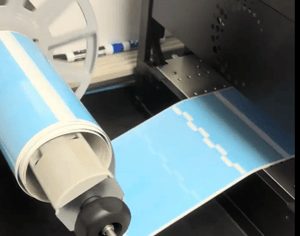
When the encoder slips, the media will speed through the printer for a short period of time, likely less than one second.
When the encoder is slipping, the print defect and assocated media speed up will be periodically repeated throughout the print.
Encoder Slippage Resolutions
There are 2 possible failures of the encoder that might cause it to slip. (1) The encoder may need to be tightened, which can be done by a technician or experienced end user. (2) The encoder assembly has become worn and will ned to be replaced.
Tightening the Encoder Assembly
The encoder assembly can be accessed underneath the printer and its idler wheel latch tightened by hand. Tip the printer back on one of its sides. In this photo we've tilted the printer back, and the pen is pointing to the drection of the encoder idler wheel latch lever. Access the idler wheel latch from the entrance side of the printer.
It is recommended that two people perform this task; one person should hold the printer in a tilted position and another adjust the lever.
The default position of the encoder idler wheel latch lever is pointng towards the back of the printer. To tighten, move the latch slghtly towards the front of the printer. Tighten slightly and retest printing to verify that slippage has been eliminated.
1. The printer should be tilted back to access the idler wheel latch.
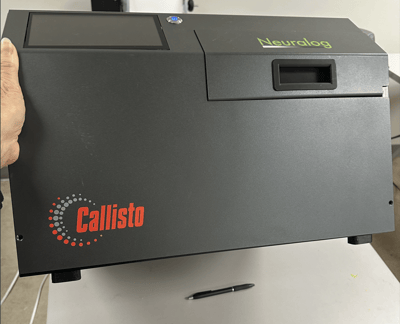
2. The latch lever is accessed from the exit side of the printer.
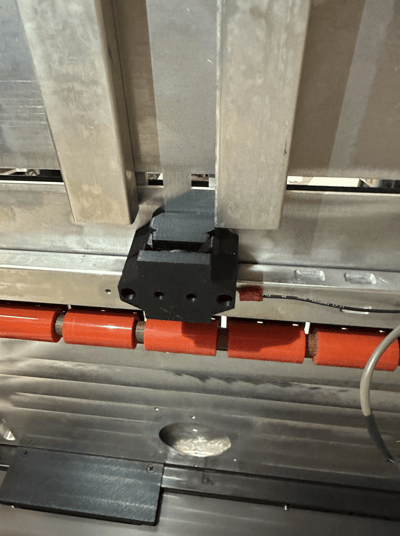
3. The default position of the latch lever is towards the back of the printer. Move it forward to tighten.
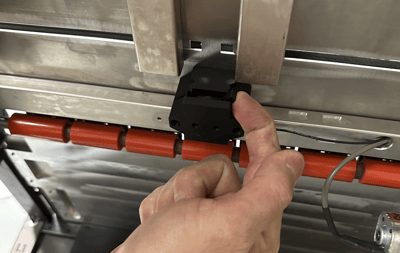
4. Recheck to verify that media slippage has been eliminated.
Replacing the Encoder Assembly
If adjusting the idler latch does not resolve media slippage, the controller may be worn and need to be replaced.
A worn encoder assembly should be replaced by an experienced technician.