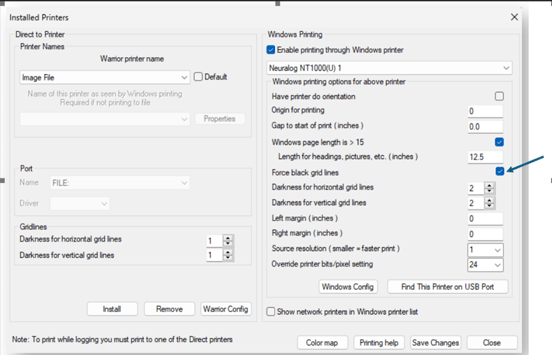
The NT1000 will print from the Warrior application using its standard Windows driver. From the Warrior control panel, select the Plot tab and make sure Neuralog NT1000 printer is selected. Verify that Enable printing through Windows printer is checked.
If the gridlines look dull or too light, they can be darkened. Control the gridline darkness, by checking the Force black grid lines box.