

A squeaky Service Tray is unpleasant and can sound like the one in this video.
During Callisto manufacturing, grease is applied to the back of the sled drive gear. Older units had a minimum amount applied to the pin. More recent units have grease applied to the pin and back of the sled gear to reduce the noise. If the grease wears off and the service tray begins to squeak, grease can be reapplied to reduce the noise.
Follow the steps in this article to resolve the squeaky Service Tray noise.
Obtain White Lithium Grease
Obtain Lucas White grease, a small application tool such as a Zip Tie wrap, and optionally protective gloves.
Lucas White Lithium Grease (or similar grease) is available at Amazon, Walmart, Home Depot, etc. and should cost less than $10.
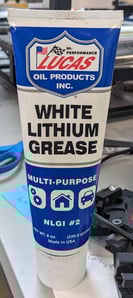
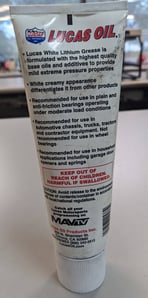
Apply the Grease
- Locate the service tray white gears at the entrance side of the printer and on the right-hand side.
- Locate the LOWER white gear on the right-hand side coming out of the printer floor.
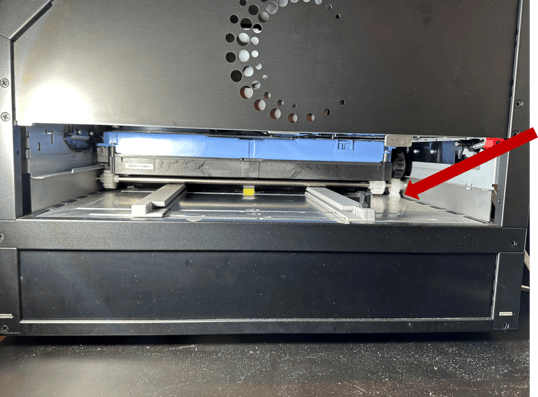
- Use a Zip Tie (or similar tool) to apply grease on the back of the lower gear wheel near the axel.
- Place a small amount of grease on the side of the gear between the frame rail and the gear.
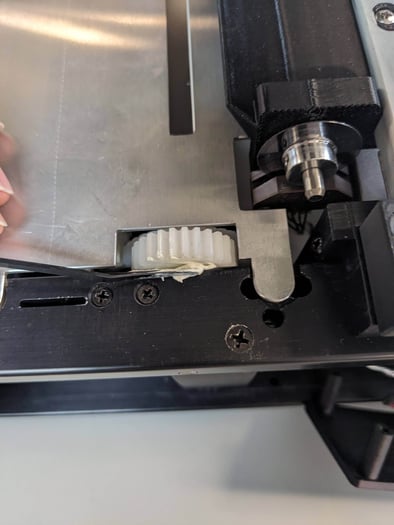
Check the Squeak
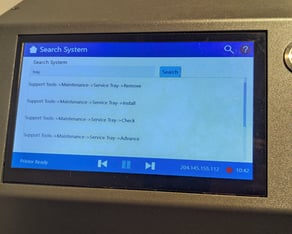
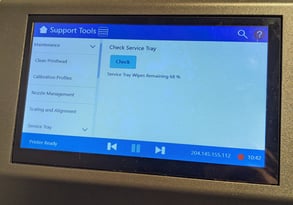
- Use Check Service Tray to move the Wheel and distribute the grease into the axle.
- Listen to see if squeak s resolved.
Repeat If Needed
- Repeat this process two to three times if needed.
- Do not apply too much grease.
- Apply the minimum amount of grease such that the squeaking is solved.
- Too much grease has the potential to plug up the wheel.
This process should insure that the squeaking noise goes away!