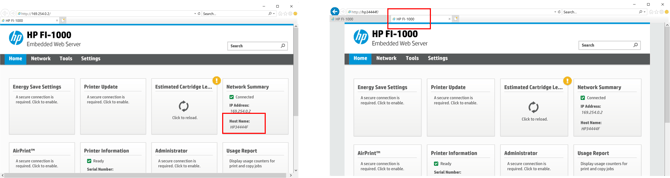
Rolling back BnB to prior version – Find and Record the BnB Host Name
- Remote into BnB, bring up explorer
- Bring up or find a window using the hostname. Our example HP34444F
- Enter 169.254.0.2 to see BnB Web Server
- Record the Host Name and bring up another window using it
- Example: HP3444F
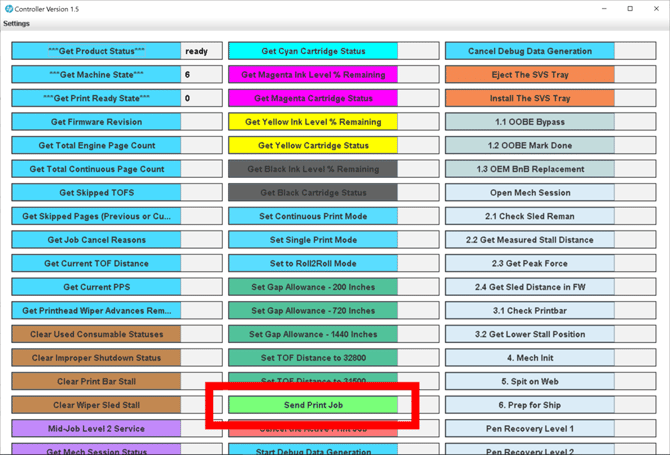
Roll back BnB to prior version Using HP Controller
-Run HP Controller D:Updates/HP Controller/runOnWindows.bat
-You can use Send Print Job to copy the firmware to the BnB. Takes a few seconds. See pictures below.
-When the update successfuly happens, the IP changes and you loose the IP web page and HP controller connection
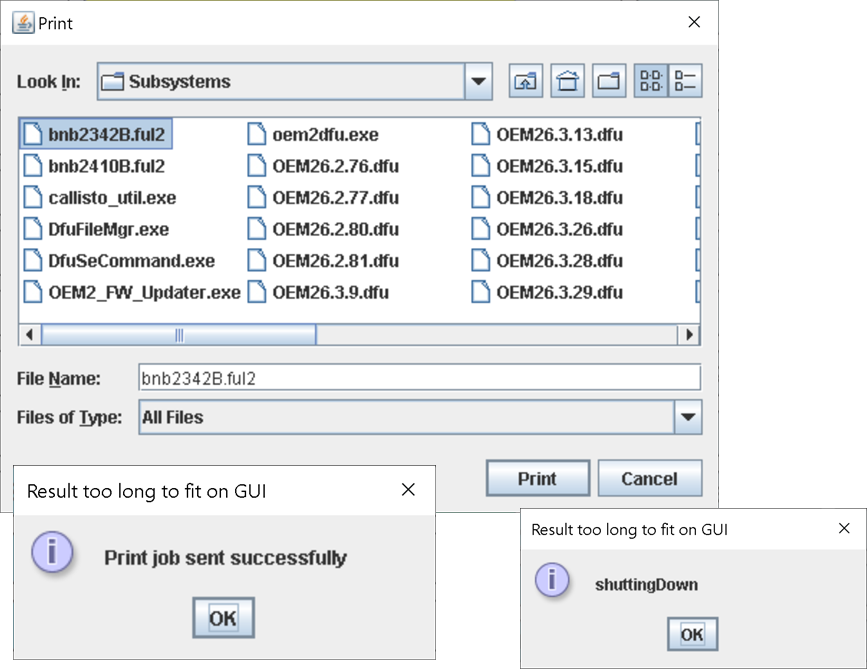
-It takes several minutes to update the firmware. After the head moves, give it one more minute. Then refresh to see the web page.
-The web page is no longer accessible through the default IP address
- But you still have the Hostname based web page displayed (or you can enter the hostname)!
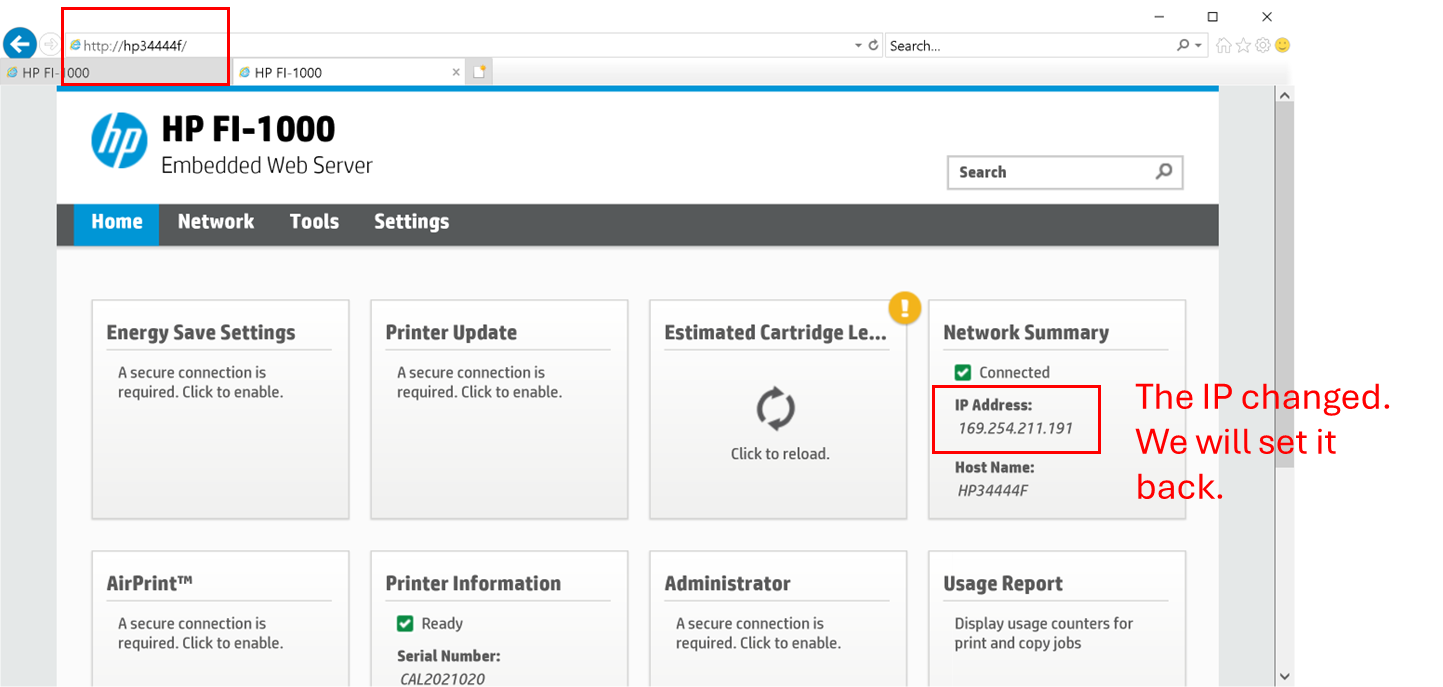
Reset IP Address back to the default of 169.254.0.2
-Click on the Network Summary box
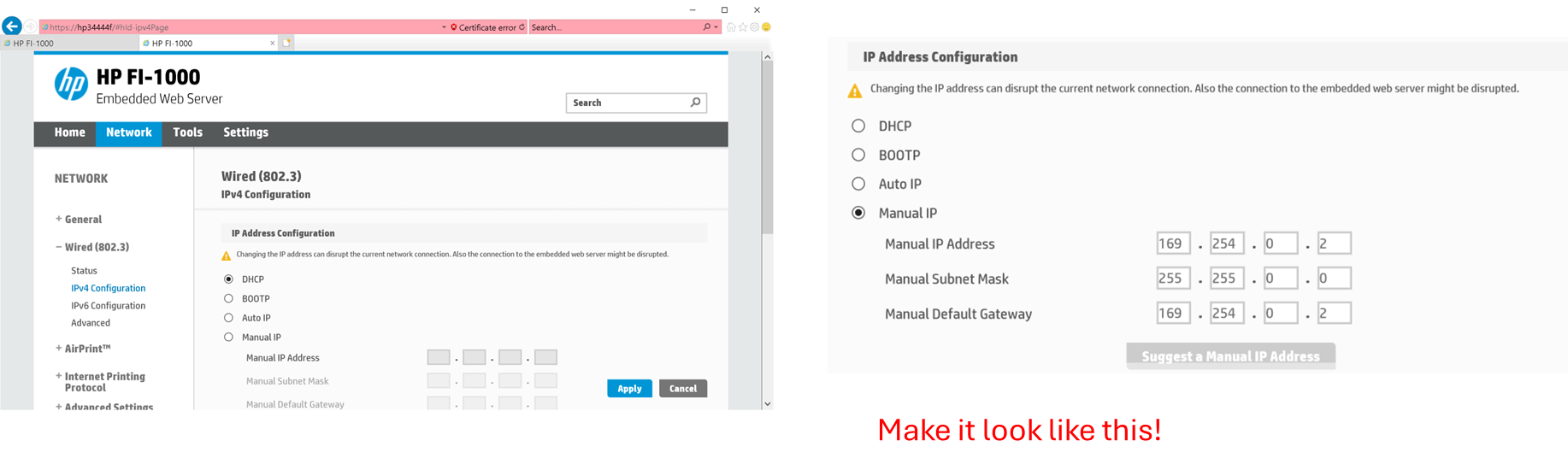
-Select Wired and IPv4 Configuration – Click through security messages that appear
-Enter default info as shown and click Apply 169.254.0.2
-Refresh your IP window when done to make sure you were successful
If this does not restore the BnB, there is one more place to check.
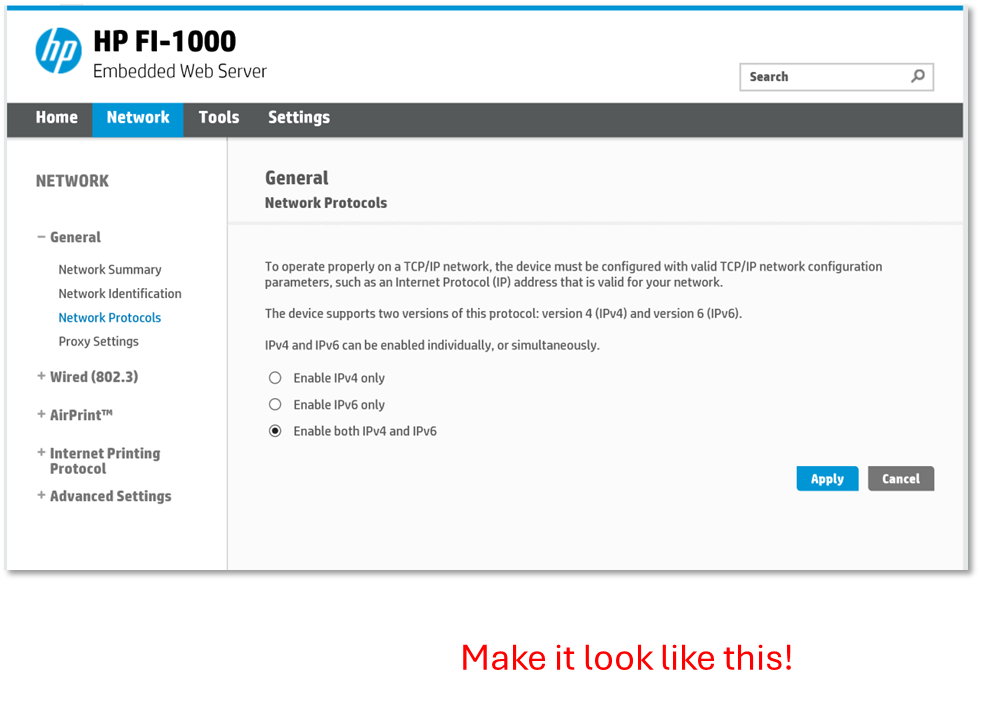
- Select General and Network Protocols
- Make sure Enable both IPv4 and IPv6 is the active selection