

How to manually update the BnB Firmware Using HP Controller
-Run HP Controller D:/Updates/HP Controller/runOnWindows.bat
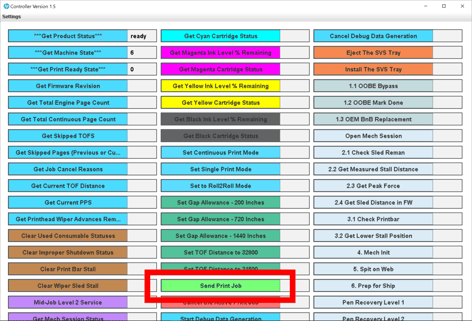
-You can use Send Print Job to copy the firmware to the BnB. Takes a few seconds. See pictures below.
-When the update happens, the IP changes and you lose the IP web page and HP controller connection
Select Send Print Job in the Controller and browse for the file.
Find the file bnb2xxxx.fuls that you want to use.
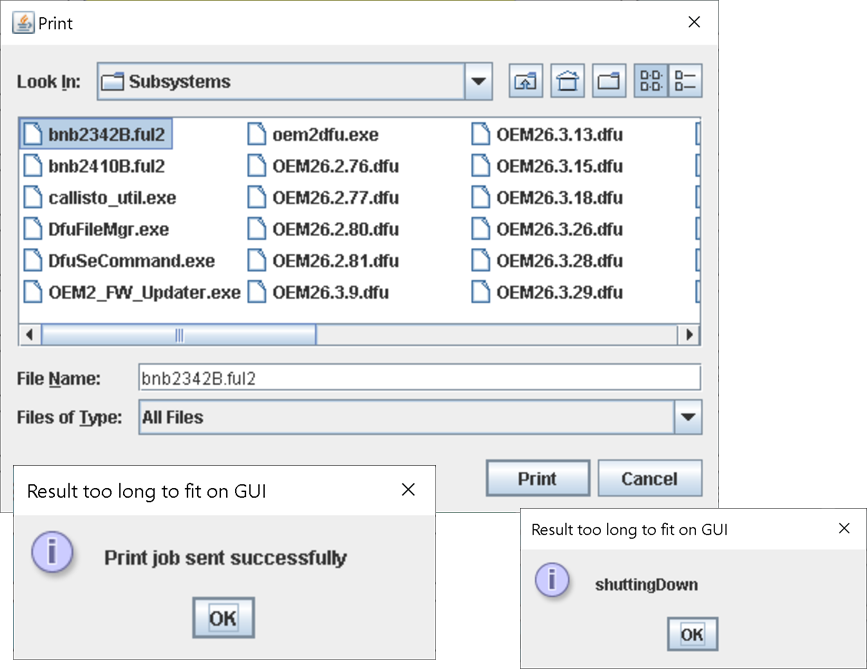
When the ful2 file is sent you will see Print job sent successfully.
You will see shuttingDown as the bnb reboots.
When the printer reboots it should have the new bnb firmware. If you were upgrading the firmware the printer should come up to Printer Ready. However if you were downgrading the firmware (changing to a lower version), the printer will have lost its connection to the OEM1. Further steps are needed. See the article on Rolling Back And Restoring the BnB.