The TOF report is part of the job report. Select the job report in the Operator Panel or Web Server from any print job and scroll down to see its TOF report.
For the printed labels to be placed in the correct position, the TOF report must be correct. Anaylyze and address TOF report problems before investigating other aspects of printing problems.
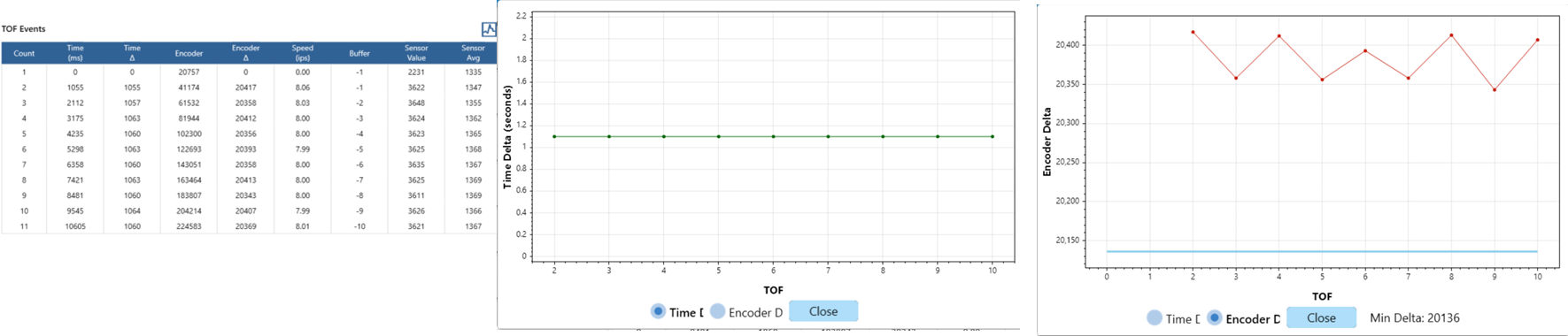
Good TOF Report. All TOFs are evenly spaced.
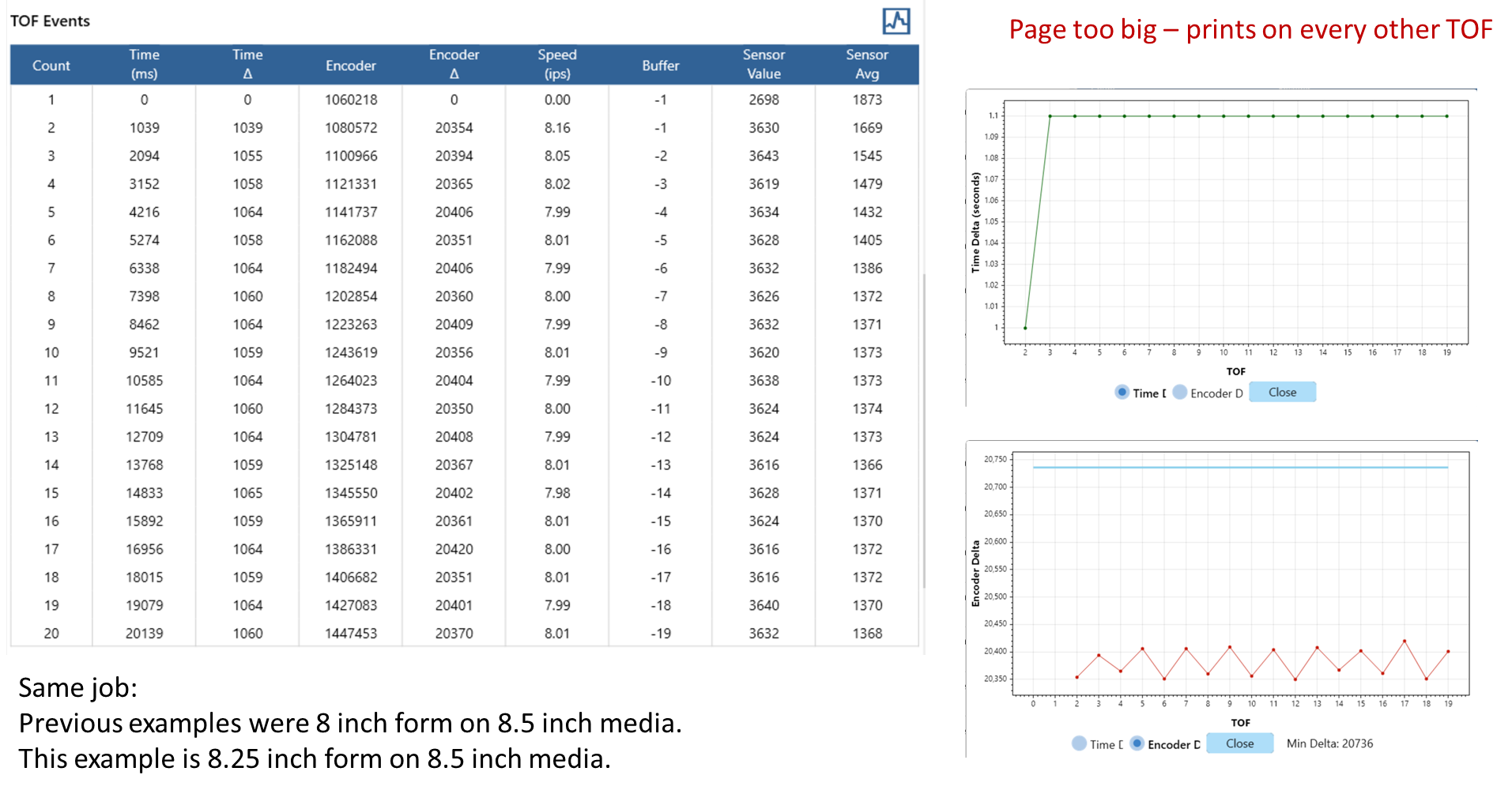
All TOFs are there, but too close together
Symptom: Printing skips every other label.
- All TOFs too close for page size
- Shrink form to fit within all TOFs
- Form size must be 0.40 inches less that mark-to-mark distance
- Periodic TOF Repeat (close, far, close, far, etc)
- Probably fanfold or media issue –shrink form to fit within all TOFs
- Form size must be 0.40 inches less that mark-to-mark distance
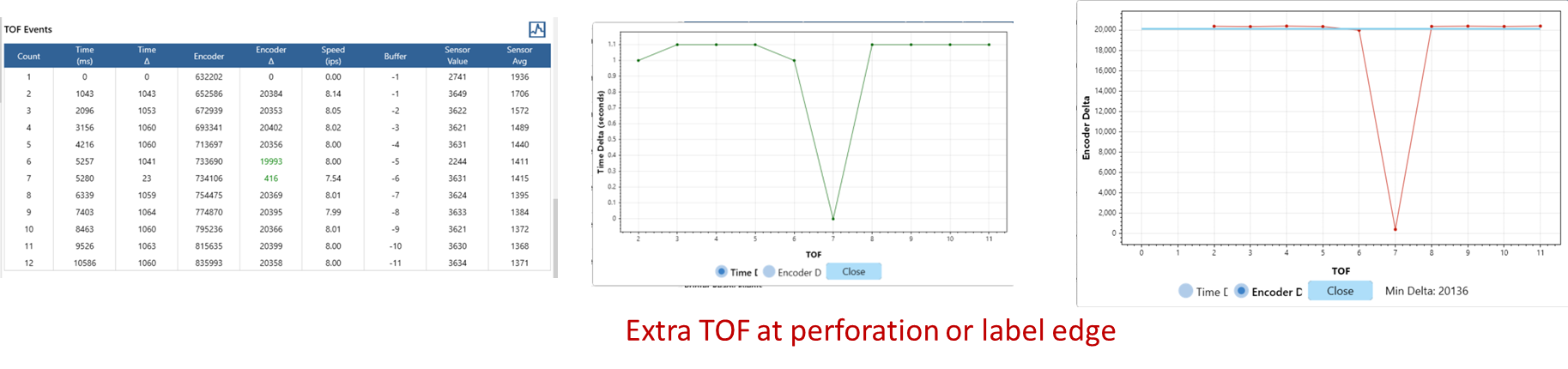
Extra TOFs
Symptom: Labels skipped, labels printed in wrong place
- Extra TOFs near the correct/master TOF
- Check/Calibrate sensors. The sensor may be picking up perfs. Or if on gap, the sensor may pick up marks and vice versa.
- Extra TOFs randomly in the report
- Check/Calibrate sensors
- If printing defect is white splotchy print defects and is associated with spinning, hard to turn, or crunch encoder, the encoder wheel may be bad.
Bad encoder==>Replace encoder assembly
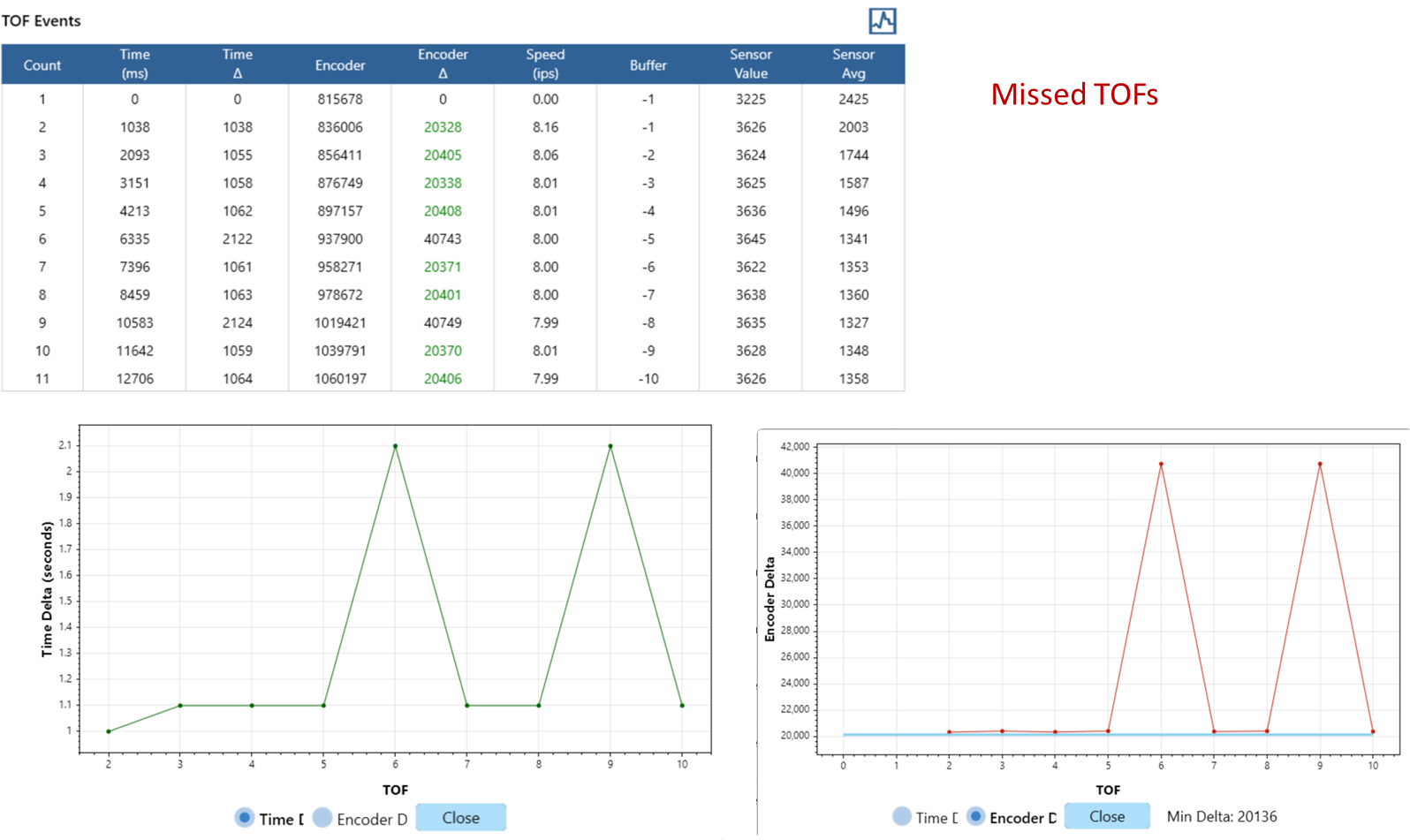
Missing TOFs
Symptom: No TOFs at all or repeated patterns with missing TOFs.
All TOFs missing
- Check printer configuration to make sure labels + gaps/marks chosen
- Check the media
- Are there gaps or marks?
- Is media loaded into the printer correctly
- Check/calibrate sensors (see the next sections for more details)
- Check that all systems on the printer are up and running – reboot if needed
NOTE: When printing labels on marks or gaps, there must be TOFs for each printed page. If there are no TOFs in the TOF report, solve this problem first.
Periodic TOFs missing
- Inspect marks or gaps on media to see if the media itself is “periodic”
- Fanfold media may have every other TOF close/far
- Marked media may have light/dark/light/dark
- Check/calibrate sensors
Random TOFs missing
- Check the media first to note the quality of TOFs
- Check/Calibrate sensors