

Windows/Linux Configuration in Status Report
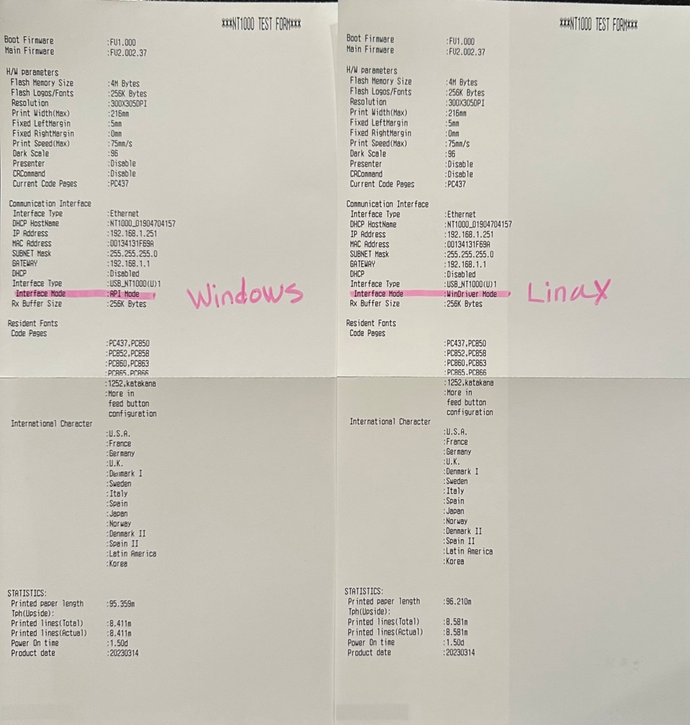
Print Status Report to view printer mode.
|
Windows |
Interface Mode: API Mode |
|
Linux: |
Interface Mode: WinDriver Mode |
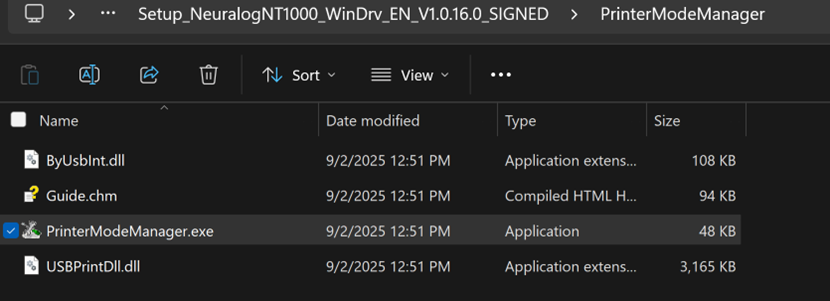
Print Mode Manager
Find and run the PrinterModeManager.exe. It already exists in the printer driver folder.
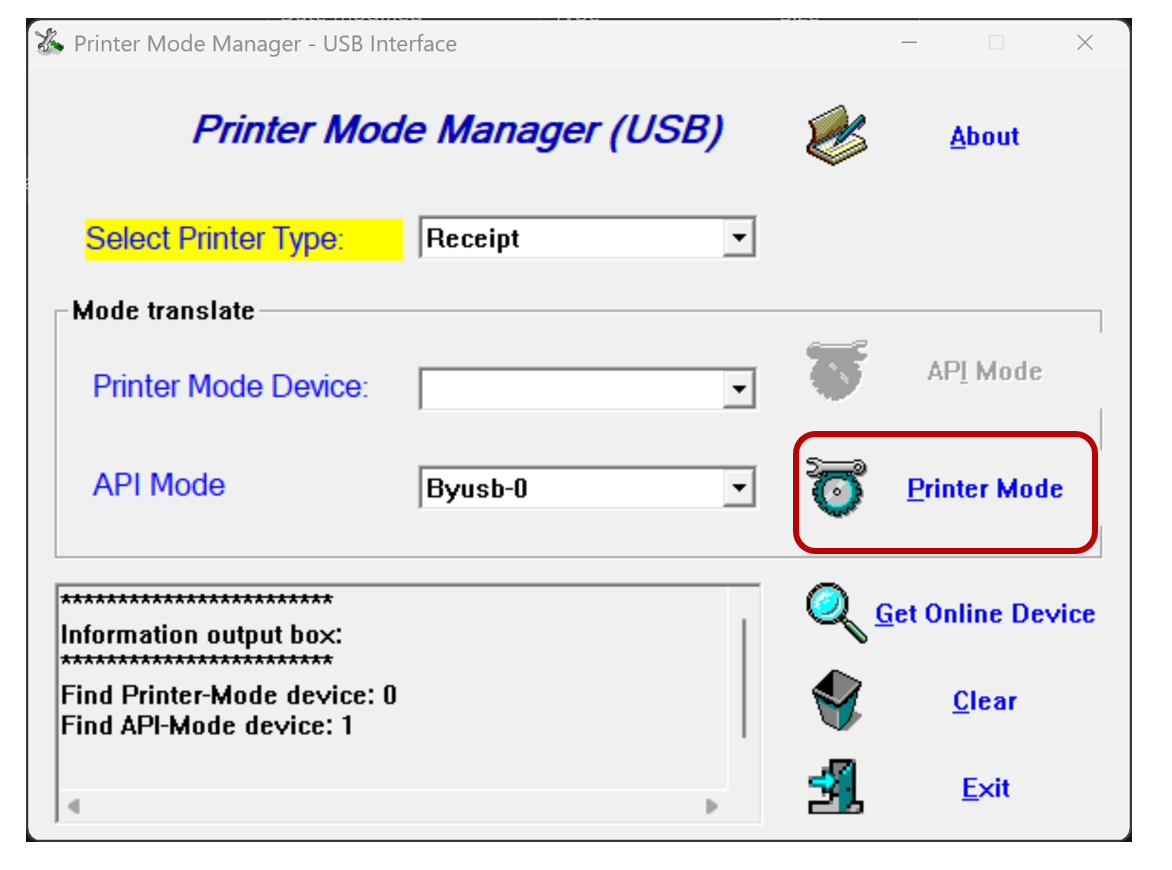
Change to Linux
In Windows: Change to Linux by clicking Printer Mode button
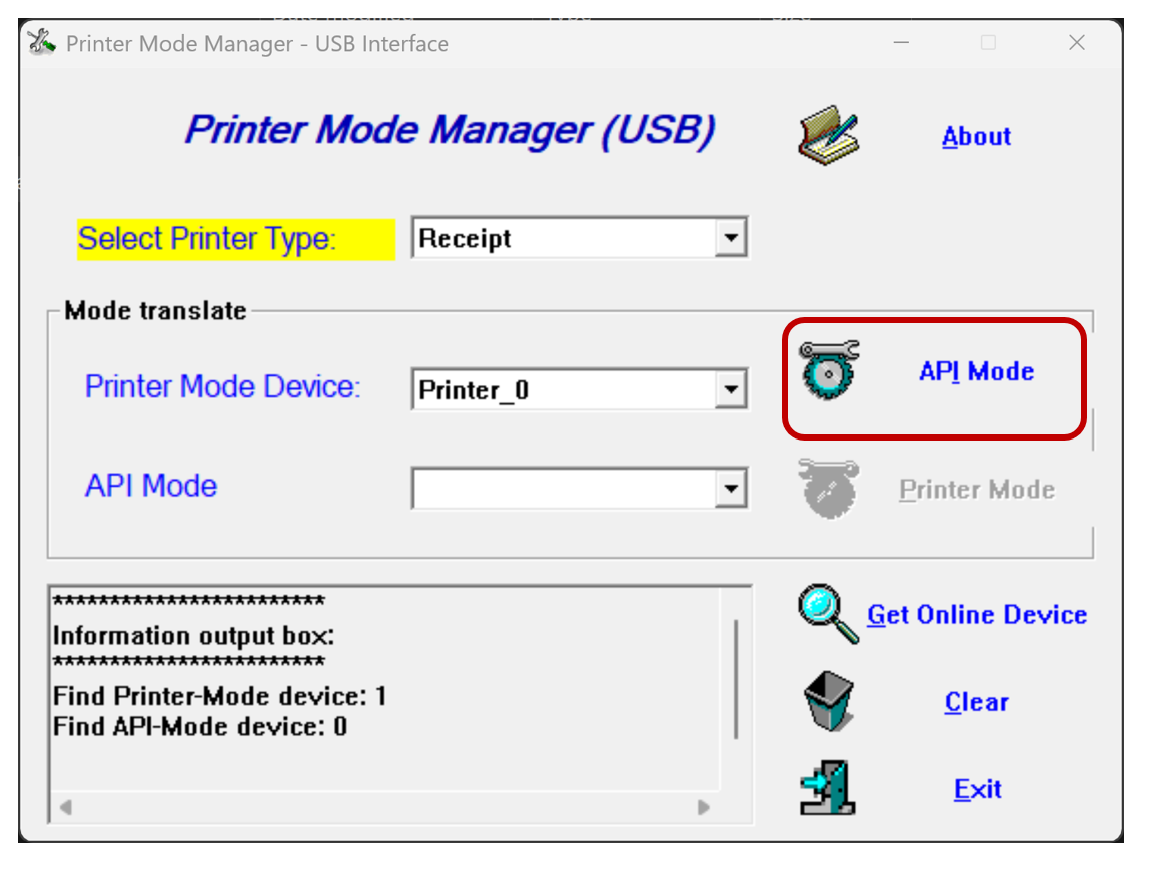
Change to Windows
In Linux: Change to Windows by clicking the API Mode button.
Linux Driver
The Linux Driver is required to print to an NT1000 configured to use with Linux.
Windows Driver
The Windows Driver is required to print to an NT1000 configured to use with Linux.