

Steps:
-
Download Driver
-
Go to www.neuralog.com → Support → NT1000 → Downloads.
-
Extract the ZIP file.
-
-
Run Installation
-
Connect the NT1000 to your PC and power it on.
-
Right-click
Setup.exeand select Run as Administrator.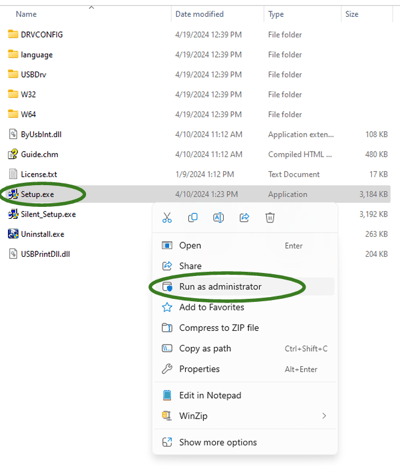
-
Follow the on-screen instructions, selecting either:
-
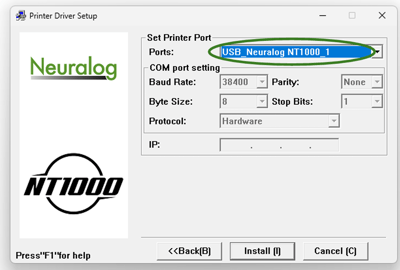
USB (U) for USB connection.
-
Network (E) for network connection (default IP:
192.168.1.251). If you have changed the default network address, enter the address you used.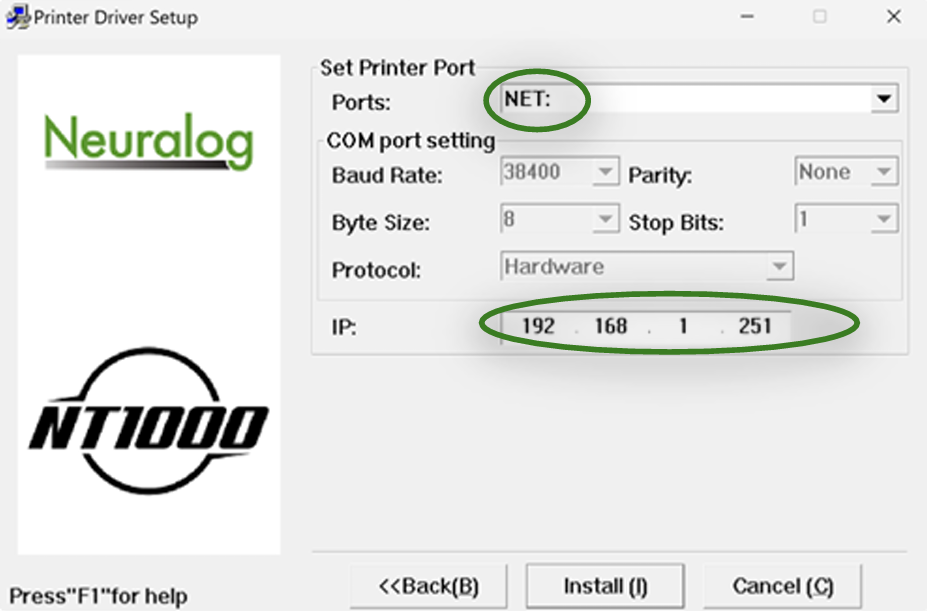
-
-
-
Verify Installation
-
After installation, restart the printer.
-
Confirm the printer appears in Windows as:
-
NeuralogNT1000(U) for USB.
-
NeuralogNT1000(E) for network
-
-