Method 1 – Jog Button:
-
Ensure rear power switch is ON and front power is OFF.
-
Press and hold the Jog Button while turning on the front power.
-
The printer will automatically print a Status Report.
Method 2 – Web Interface (Network Only):
-
Bring up the printer web server.
-
Click Equipment Self-Test to print a report
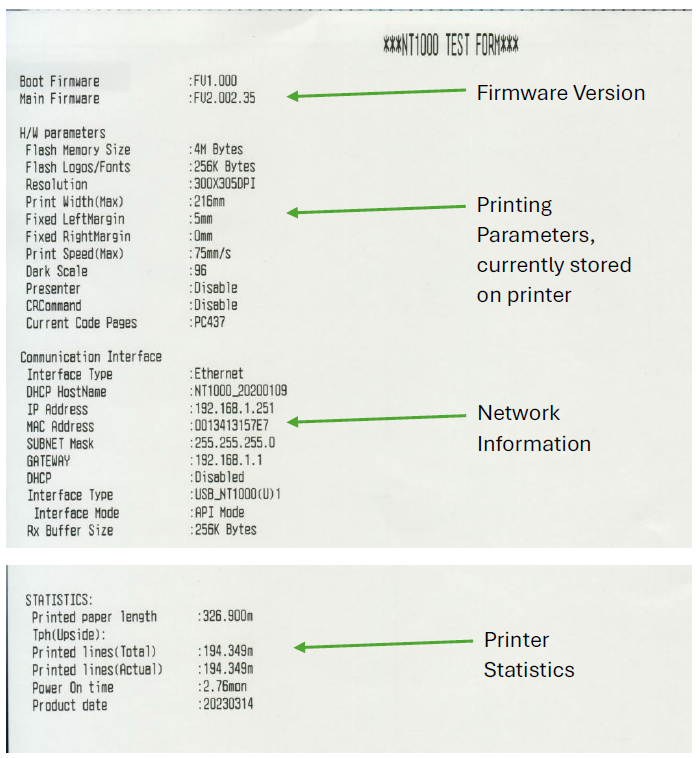
NT1000 Status Report Example
Printer will print the NT1000 status report as shown. Sections that are not applicable have been removed for brevity.