

The following are possible causes of the printer being stuck in a reboot cycle:
- OEM1 Board may be bad
- Hard Drive that is attached to OEM1 may be bad
- Power supply may be bad
Case 1. Static Screen Reboot
The printer boots to the static logo screen for a few seconds. The screen goes dark for 2-3 minutes. The cycle repeats indefinitely with the Callisto never getting past the static logo screen.
Solution: Most likely, the hard drive on the OEM1 is corrupted and needs to be reimaged or replaced.
Customer Site
If the printer is at a customer site==> Replace OEM1-OEM2 combo.
OEM1-0OEM2 combo includes a new hard drive. Be sure to have the customer return the current OEM1-OEM2. Send the customer an instruction sheet and a mailing label for returning the current unit. They should return their current OEM1-OEM2 in the box that the new unit is shipped to them in.
Note that the video shows separation of the OEM1-OEM2 combo. You do not need to do this step. The full combined unit should be replaced.
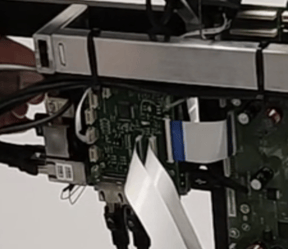
Inhouse
If the OEM1-OEM2 unit is inhouse. Try reimaging the hard drive. Be sure to leave the unit on for at least 3 days to verify the hard drive is functional. If the failure recurs, replace the hard drive.
If the hard drive is replaced, leave the unit on for at least 1 day to verify the OEM1 is functional.
Case 2. Reboot Cycle of Various Length/Pattern
The printer boots to different points in the boot-up cycle. This might be to the static logo, spinning logo or Operator Panel. When first started, the printer may function properly for a period of time. As the printer is used (and warms up), the reboot cycle will begin to happen and become worse over time. Eventually, the bootup cycle makes the printer unusable. After a period of cooling off, the printer may function again for a period of time.
We believe this case is related to the printer power source and NOT the OEM1-OEM2. More details will be added to the knowledge base article as they are provided.
Solution: Replace Power Supply. The Power Supply is an HP-branded component and can be replaced by a technician in about 10 minutes.
Replacing the Callisto Power Supply Video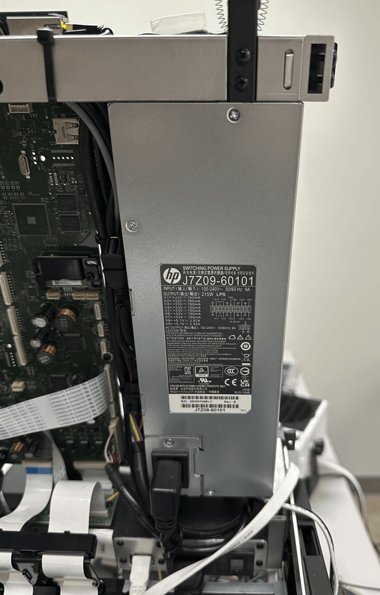
This article to be further updated when more information is known.