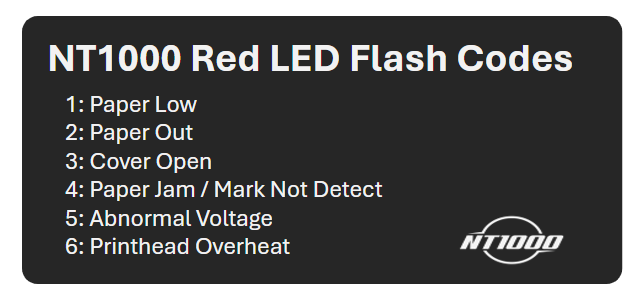
| Flashes | Meaning | Solution |
| 1 Flash | Paper Low | Add paper soon to prevent interruptions. |
| 2 Flashes | Paper Out | Reload paper tray (marks down, to the right). |
| 3 Flashes | Cover Open | Ensure top flap is fully closed until it clicks. |
| 4 Flashes | Paper Jam / Mark Error | Check paper orientation and clear jams. |
| 5 Flashes | Abnormal Voltage | Verify power source and connections. |
| 6 Flashes | Printhead Overheat | Allow printer to cool; it will resume automatically when safe. |