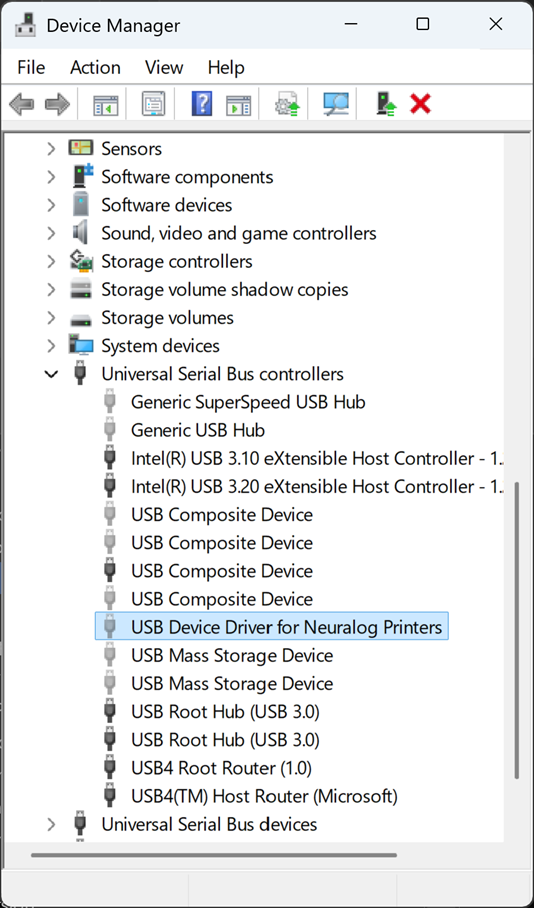
Things to Note:
Version of firmware - read from the status report.
Version of driver - read from the driver installation.
If performing a printer version upgrade, be sure to remove any hidden device instances before proceeding. Do not remove the active device instance.
Does the status report print?
With USB connected, power off the printer. Holding down the feed/job button, power on the printer.
IF THE STATUS PAGE PRINTS, the USB connection is good.
- Check the USB Cable
- Check that the cable is plugged into the correct port in the back of the printer.
- Check to make sure the printer driver is properly installed and/or reinstall the printer driver.
As of September 2025, the current firmware version is 2.35 and the current Windows printer driver version is V16. Make sure these are the versions you are currently using.
IF THE STATUS PAGE DOES NOT PRINT, the USB connection is not good and needs to be restored.
- Bring up the device manager on the PC.
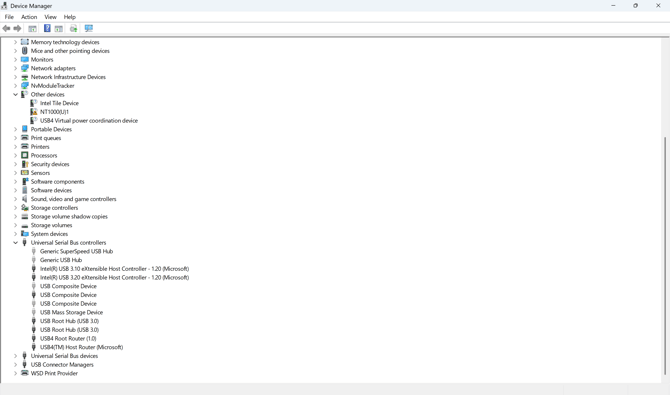
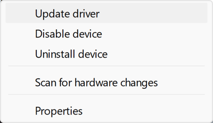
If NT1000(U)1 appears in other devices, right click on it and select Update driver.
Follow the steps to "Browse my computer for drivers."
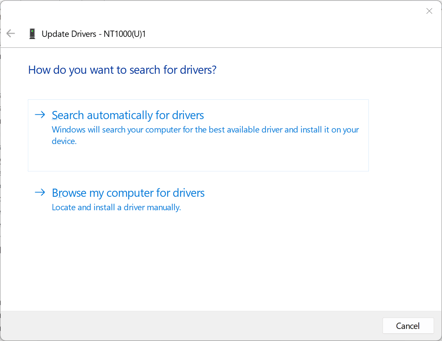
The USB device driver will be located in the NT1000 printer driver folder that was downloaded from the Neuralog web site. Once the folder is located, the driver is at the following location:
...\NT1000_UPDATE_PACKAGE_0925\NT1000_WindowsDriver_V1.0.16\USBDrv\USBDriver_x64
After the driver is updated, the printer should move from Other devices to Universal Serial Bus controllers.