

To print the NT1000 status report, the jog button is held down while the printer is rebooted with either the front or back power switch. The printer will feed the paper to find the registration mark and print the report.
If the printer feeds the paper and stops in the middle of the page without printing, or if the printer instead prints "Interface is Configuring..." be patient; the printer is not broken. This printer has been set to use Dynamic Host Configuration Protocol (DHCP). The printer is querying to see if a DHCP server will assign a dynamic IP addresss. The timeout for the query is usually set between 60-90 seconds.
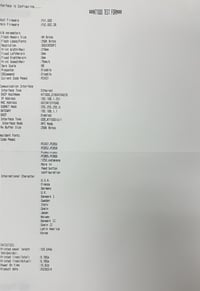
If the printer does see a DHCP server, it will be assigned a dynamic address for that network. The status report will then be printed. You will see the assigned address on the report.
If the printer does not see a DHCP server, it will be restored to its default network address. The status report will then be printed. You will see 192.168.1.251 on the report.
If after 90 seconds, the printer does not print the status report, contact Neuralog Support.